# Sending Emails
Send email notifications at specific workflow stages using the `SendEmail` action in [BasicPlugin](https://docs.workflowengine.io/plugins/basic-plugin/overview/). This
pattern notifies users about process events - order confirmations, approval requests, completion notifications - via SMTP.
## Real-world scenario
A customer support workflow sends an email notification when a ticket is resolved. A manager triggers the `SendEmail` command from the
workflow UI. The workflow sends an HTML-formatted email to the customer with the resolution details and a satisfaction survey link.
## Workflow scheme
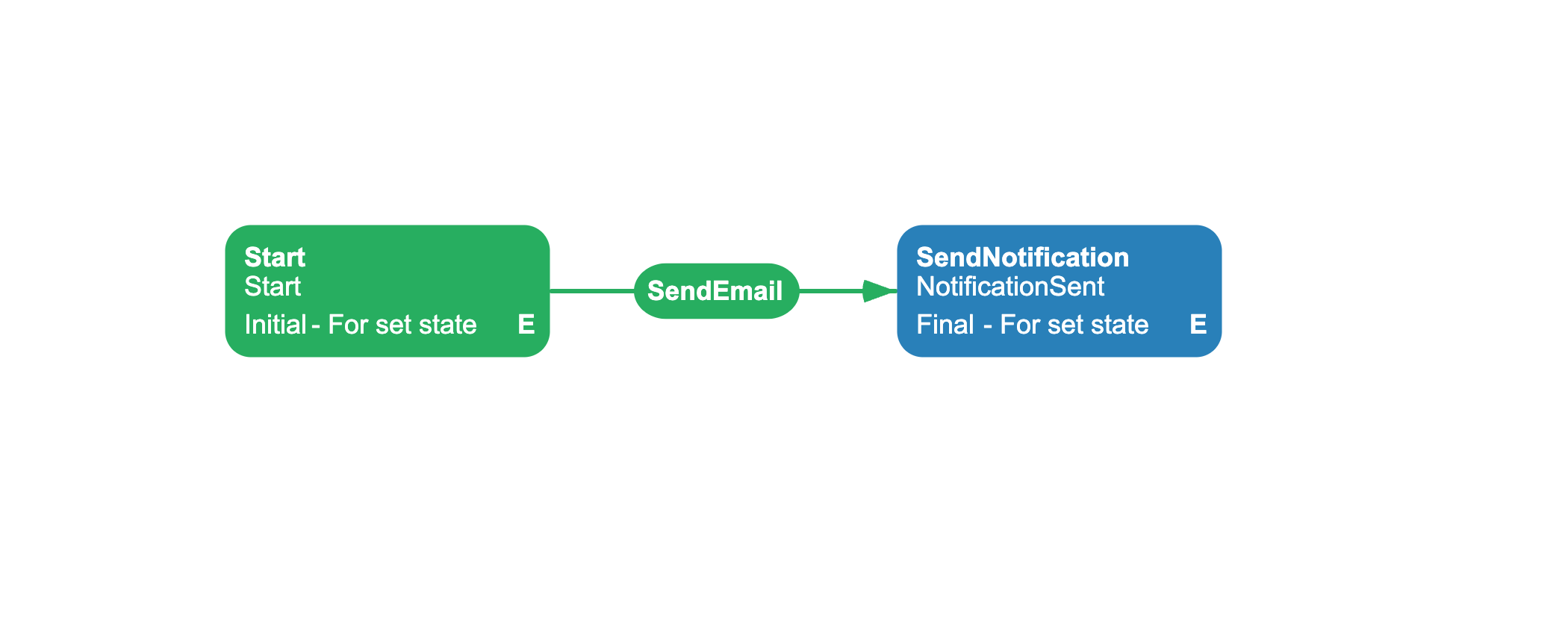
The scheme starts in the **Start** activity, which initializes process parameters (customer email, name, ticket details) via `SetParameter`
actions. A `SendEmail` command triggers the transition to the **SendNotification** activity, which sends the email with
parameter-substituted content via the `SendEmail` action.
**Related capabilities:** `SendEmail` action, `Setting_Mailserver*` configuration properties.
```xml filename="email-notification.xml" {65-76}
Your ticket has been resolvedDear @CustomerName,
Your support ticket #@TicketId has been resolved by @AgentName.
Resolution: @Resolution
Please take a moment to fill out our satisfaction survey.
Thank you,
Support Team
",
"IsHTML": true
}
]]>
```
## Configuration
Configure SMTP settings on the [BasicPlugin](https://docs.workflowengine.io/plugins/basic-plugin/overview/) instance before registration:
```csharp filename="WorkflowInit.cs"
basicPlugin.Setting_Mailserver = "smtp.gmail.com";
basicPlugin.Setting_MailserverPort = 587;
basicPlugin.Setting_MailserverFrom = "workflow@company.com";
basicPlugin.Setting_MailserverLogin = "workflow@company.com";
basicPlugin.Setting_MailserverPassword = "app-password";
basicPlugin.Setting_MailserverSsl = true;
```
Register the plugin with [WorkflowRuntime](https://docs.workflowengine.io/get-started/concepts/workflow-runtime/):
```csharp
runtime.WithPlugin(basicPlugin);
```
In your scheme, assign `SendEmail` to an [activity](https://docs.workflowengine.io/get-started/concepts/activity/) Implementation. The action parameters override the
global SMTP settings per-action if specified.
## SendEmail parameters
The `SendEmail` action accepts these parameters in JSON format:
| Parameter | Type | Required | Description |
|-----------|------|----------|-------------|
| `To` | string | yes | Recipient email address. Supports comma-separated addresses for multiple recipients. |
| `Subject` | string | no | Email subject line. |
| `Body` | string | no | Email body content. |
| `IsHTML` | bool | no | Set to `true` to render body as HTML. Default: `false`. |
| `CcList` | JSON array | no | List of CC recipients. Example: `["manager@company.com", "hr@company.com"]`. |
| `BccList` | JSON array | no | List of BCC recipients. |
| `ReplyToList` | JSON array | no | List of Reply-To addresses. |
| `MailServer` | string | no | SMTP server (overrides global setting). |
| `MailServerPort` | int | no | SMTP port (overrides global setting). |
| `MailServerFrom` | string | no | From address (overrides global setting). |
| `MailServerLogin` | string | no | SMTP login (overrides global setting). |
| `MailServerPass` | string | no | SMTP password (overrides global setting). |
| `MailServerSsl` | bool | no | Enable SSL (overrides global setting). |
### Using process parameters in email content
You can inject workflow [parameter](https://docs.workflowengine.io/get-started/concepts/parameter/) values into email content using the `@ParameterName` syntax. The
[WorkflowRuntime](https://docs.workflowengine.io/get-started/concepts/workflow-runtime/) substitutes these references before sending the email.
Example with parameter substitution:
```json
{
"To": "@CustomerEmail",
"Subject": "Ticket #@TicketId resolved",
"Body": "Dear @CustomerName,
Your ticket has been resolved.
",
"IsHTML": true
}
```
The workflow engine replaces `@CustomerEmail`, `@TicketId`, and `@CustomerName` with actual process parameter values at runtime. To
reference nested parameters use `@(Parameter.SubName)` syntax. For formatted values use `@(Parameter:format)` (for example,
`@(StartDate:yyyy-MM-dd)`). For JSON serialization use `@(Parameter:json)`.
### Error handling
The `SendEmail` action throws an exception if the email fails (SMTP error, network issue, authentication failure). Unlike `HTTPRequest`,
`SendEmail` does not return a failure status it either succeeds or throws.
Activities support built-in exception handlers that catch action exceptions and determine the next step. Add an `ExceptionsHandlers` block
to the activity. For a `SetState` handler, `NameForSet` is a state name, not an activity name. First, add a fallback activity to the
`Activities` block of the page's scheme:
```xml filename="email-notification.xml"
```
The `SetState` handler can select `EmailError` because its non-empty `State` equals `NameForSet="Error"` and `IsForSetState` is `True`.
Without a matching activity, the handler throws `ActivityNotFoundException` while handling the original email error. Then add the handler
to `SendNotification`:
```xml filename="email-notification.xml"
...
```
Available handler types:
| Type | Behavior |
|------|----------|
| `SetActivity` | Move to a specified activity |
| `SetState` | Move to a specified state |
| `Retry` | Retry the action (set `RetryCount`) |
| `Ignore` | Suppress the exception and continue |
Use `Exceptions="*"` to catch all exceptions, or specify a full exception type name (for example, `System.Net.Mail.SmtpException`). Handlers
are evaluated in `Order` sequence.
## See also
- [Basic Plugin Overview](https://docs.workflowengine.io/plugins/basic-plugin/overview/): Registration, configuration, and
full API reference.
- [HTTP Requests](https://docs.workflowengine.io/plugins/basic-plugin/http-requests/): Call external APIs from your workflow.
- [Managing Parameters](https://docs.workflowengine.io/plugins/basic-plugin/managing-parameters/): Store and use process
parameter values.
## Frequently asked questions
**Can I send HTML emails?**
Yes. Set `IsHTML` to `true` in the `SendEmail` action parameters. The email body renders as HTML, supporting tags like ``, `
`,
`
`, and ``.
**How do I send to multiple recipients?**
Use comma-separated email addresses in the `To` parameter. For CC and BCC recipients, use the `CcList` and `BccList` parameters as JSON
arrays: `["user1@company.com", "user2@company.com"]`.
**Can I override SMTP settings per email?**
Yes. The `SendEmail` action parameters override the global SMTP configuration. Specify `MailServer`, `MailServerPort`, `MailServerFrom`,
`MailServerLogin`, `MailServerPass`, and `MailServerSsl` in the action parameters to use different SMTP servers for different emails.
**How do I use workflow parameters in email content?**
Use the `@ParameterName` syntax in the `Subject` and `Body` fields. The [WorkflowRuntime](https://docs.workflowengine.io/get-started/concepts/workflow-runtime/)
substitutes these references with actual [parameter](https://docs.workflowengine.io/get-started/concepts/parameter/) values before sending the email. Use
`@(Parameter:format)` for formatted values (for example, `@(StartDate:yyyy-MM-dd)`) and `@(Parameter:json)` for JSON serialization.
**What happens if the email fails to send?**
The `SendEmail` action throws an exception (SMTP error, network issue, etc.). Add an [exception handler](#error-handling) to the activity to
catch the error and move to a fallback activity or retry.