
Condition

A condition is a guard evaluated on a transition before it fires. Conditions determine whether a process instance can move from one activity to the next. Expression conditions use the @-syntax to access process parameters. Action conditions call a registered provider or Code Action. Conditions support inversion and fixed results during pre-execution simulation.
A condition is a Boolean guard evaluated before Workflow Engine selects and fires a transition. It determines whether a process instance can move from the current activity to the transition's target activity. Use an Always condition when a transition must be unconditional.
What a condition is
A condition is a rule attached to a transition. When a command, timer, or auto trigger activates several outgoing transition candidates, the runtime checks their conditions. A failed condition skips that transition; another candidate can still pass. The process stays at the current activity only when no candidate is selected.
A transition can use one Always or Otherwise condition, or one or more Action and Expression conditions. ConditionsConcatenationType combines multiple conditions on the same transition with And or Or logic.
The simplest condition type is Always, which always returns true. A transition with an Always condition fires whenever its trigger activates, without any checks. The most flexible type is an expression condition - a C# expression that the runtime compiles and evaluates at the moment the transition fires (described below in the types table).
Several outgoing transitions from any activity can form an ordered conditional choice. For candidates activated by the same trigger, Workflow Engine checks an Always transition first, then checks Action and Expression transitions in scheme order, and uses an Otherwise transition only if none of the earlier candidates is selected. This behaves like an if / else if / else branch without requiring a separate gateway element.
How a condition works
When a trigger activates a transition, WorkflowRuntime evaluates its conditions using the transition's ConditionsConcatenationType. If the combined result passes, the transition fires. Otherwise, the runtime continues with another outgoing candidate.
The scheme below defines a single transition from Review to Approved. The transition has an expression condition that checks whether the Amount parameter exceeds 1000:
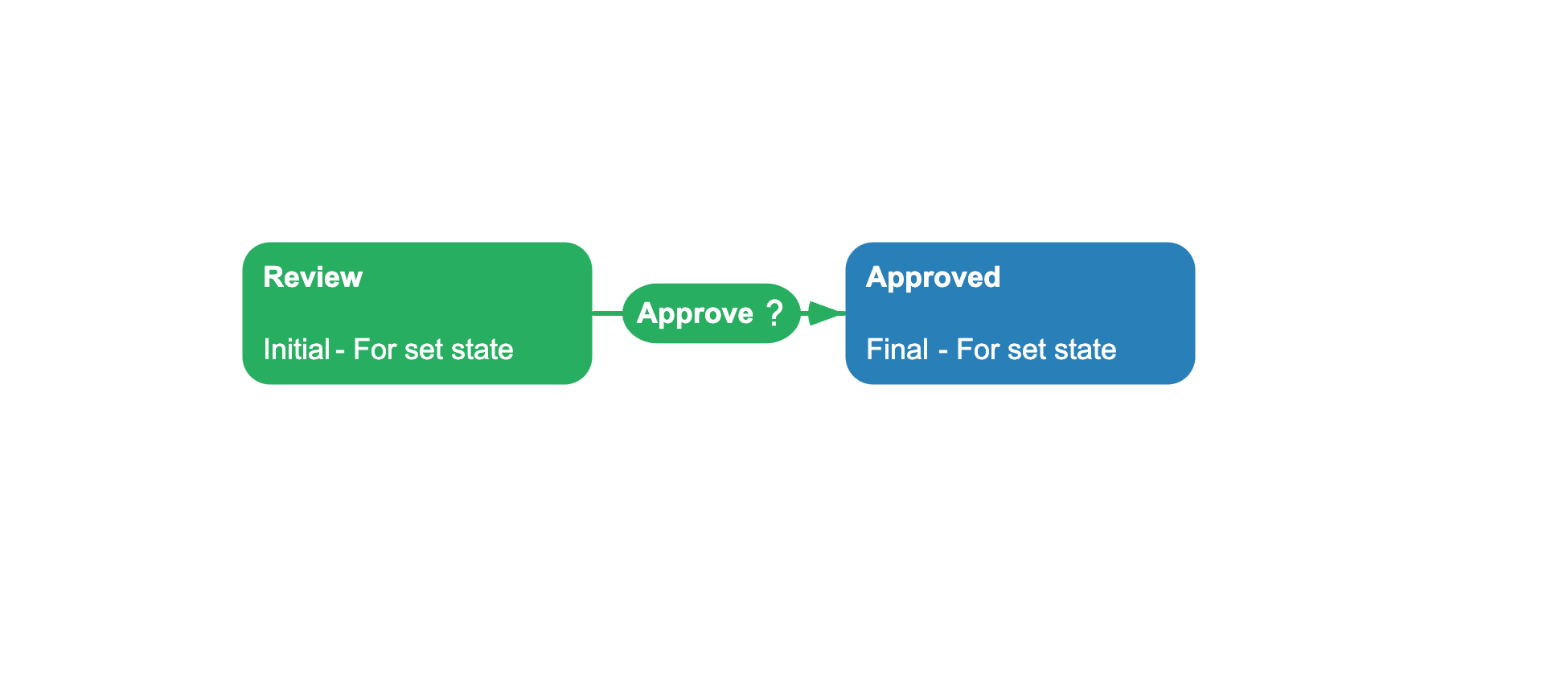
<?xml version="1.0" encoding="utf-8"?><Process> <Commands> <Command Name="Approve"/> </Commands> <Activities> <Activity Name="Review" IsInitial="True" IsFinal="False" IsForSetState="True" IsAutoSchemeUpdate="True"> <Designer X="200" Y="200"/> </Activity> <Activity Name="Approved" IsInitial="False" IsFinal="True" IsForSetState="True" IsAutoSchemeUpdate="True"> <Designer X="450" Y="200"/> </Activity> </Activities> <Transitions> <Transition Name="ApproveReview" From="Review" To="Approved" Classifier="Direct"> <Triggers> <Trigger Type="Command" NameRef="Approve"/> </Triggers> <Conditions> <Condition Type="Expression"> <Expression>@Amount > 1000</Expression> </Condition> </Conditions> <Designer/> </Transition> </Transitions></Process>When the user executes the Approve command on the Review activity, the runtime evaluates the expression @Amount > 1000. The @Amount is replaced with the parameter's value at evaluation time. If the Amount parameter is greater than 1000, the condition passes and the process moves to Approved. Otherwise, the transition is blocked.
Condition types
Conditions are classified by how they determine the result:
| Type | Description | Supports inversion | Priority |
|---|---|---|---|
Always | Selects the transition without a Boolean check when its trigger matches. | No | Highest |
Expression | Evaluates a compiled C# expression with @-syntax for parameter access. | Yes | Normal |
Action | Calls a named condition from a Code Action or IWorkflowActionProvider; the provider can also supply actions. | Yes | Normal |
Otherwise | Selects the fallback after no Always, Action, or Expression candidate passes. | No | Lowest |
A condition of type Expression stores a C# expression as a string. Workflow Engine compiles expressions when it prepares the process definition and reuses the compiled delegates. An Action condition resolves a named implementation from a Code Action or a registered provider.
Inverting a condition result
By default, a condition allows the transition when it returns true. You can invert this behavior: when inversion is turned on, a condition that would return true now blocks the transition, and a condition that would return false now allows it.
Use inversion when you have a condition method that checks the opposite of what you need. Instead of writing two separate conditions, you write one and invert it on the transition that needs the opposite check.
<Condition Type="Action" NameRef="IsWeekend" Invert="true"/>Inversion works with both Action and Expression condition types.
Pre-execution mode
Pre-execution is Workflow Engine's simulation mode, which predicts a path through the scheme without executing the real transition flow. During simulation, ProcessInstance.IsPreExecution is true, and the runtime evaluates transition conditions while using activity pre-execution implementations.
ResultOnPreExecution supplies a fixed condition result during simulation. Outside pre-execution, the Action or Expression condition evaluates normally.
<Condition Type="Expression" ResultOnPreExecution="true"> <Expression>@Amount > 10000</Expression></Condition>In the example above, simulation treats the condition as true, while normal execution still evaluates whether @Amount > 10000.
Expression syntax
Expression conditions use a special syntax for accessing process parameters. Any reference to a parameter starts with the @ character:
| Syntax | Description | Example |
|---|---|---|
@ParameterName | Substitutes the parameter value. The type matches the parameter type. | @Amount > 100 |
@Object.Property | Accesses a nested property of a complex parameter (dot notation). | @Document.Amount > 100 |
@(Parameter) | Wraps the parameter in parentheses to call methods on it. | @(Document.CreationDate).ToString("yyyy") |
@ParameterName:format | Applies a .NET format string to the parameter value using its ToString(format) method. | @CreationDate:yyyy-MM-dd |
@(ParameterName:format) | Same format string, but with parentheses for complex expressions. | @(Amount:N2) |
NOT @Parameter | Negates a boolean parameter. | NOT @Document.IsSigned |
The engine transforms the @-syntax into a compiled C# lambda:
// Expression: @Amount > 1000// Compiled to:async (processInstance) => (await processInstance.GetParameterAsync<dynamic>("Amount")) > 1000// Expression: @Document.Amount > 100 AND @Document.CreationDate <= DateTime.Now.AddDays(-1)// Compiled to:async (processInstance) => (await processInstance.GetParameterAsync<dynamic>("Document.Amount")) > 100 && (await processInstance.GetParameterAsync<dynamic>( "Document.CreationDate")) <= DateTime.Now.AddDays(-1)The expression supports C# operators and method calls:
- Comparison:
=,==,<>,!=,>,<,>=,<= - Logic:
AND,OR,NOT,&&,||,! - Arithmetic:
+,-,*,/ - Method calls:
DateTime.Now,string.IsNullOrEmpty(@Name),@(Amount).ToString()
Workflow Engine compiles the lambda while preparing the process definition and reuses it for subsequent evaluations of that scheme.
Defining action conditions
An Action condition references a name implemented by a Code Action or an IWorkflowActionProvider. The provider exposes four condition-specific methods:
| Method | Role |
|---|---|
GetConditions | Returns condition names for a scheme and NamesSearchType. |
IsConditionAsync | Selects the synchronous or asynchronous execution method. |
ExecuteCondition | Runs a synchronous condition and returns bool. |
ExecuteConditionAsync | Runs an asynchronous condition and returns Task<bool>. |
Register the provider with WorkflowRuntime.WithActionProvider. The schemeCode argument to GetConditions lets one provider expose different names per scheme. The Designer asks for All and NotExcluded names, while runtime execution resolves conditions from All.
This example exposes one synchronous IsHighValue condition:
using System;using System.Collections.Generic;using System.Threading;using System.Threading.Tasks;using OptimaJet.Workflow.Core.Model;using OptimaJet.Workflow.Core.Runtime;var runtime = new WorkflowRuntime() .WithActionProvider(new OrderConditionProvider());public sealed class OrderConditionProvider : IWorkflowActionProvider{ public List<string> GetConditions( string schemeCode, NamesSearchType namesSearchType) { return new List<string> { "IsHighValue" }; } public bool IsConditionAsync(string name, string schemeCode) { return false; } public bool ExecuteCondition( string name, ProcessInstance processInstance, WorkflowRuntime runtime, string actionParameter) { return name switch { "IsHighValue" => processInstance.GetParameter<decimal>("Amount") > 10000m, _ => throw new NotImplementedException( $"Condition '{name}' is not registered.") }; } public Task<bool> ExecuteConditionAsync( string name, ProcessInstance processInstance, WorkflowRuntime runtime, string actionParameter, CancellationToken token) { return Task.FromResult(false); } // Action-specific IWorkflowActionProvider members are omitted from this example.}Alternatively, define condition code directly in the scheme's <CodeActions> section. Use Type="Condition" and set IsAsync to true or false:
<CodeActions> <CodeAction Name="IsHighValue" Type="Condition" IsAsync="false"> <ActionCode><![CDATA[ var amount = processInstance.GetParameter<decimal>("Amount"); return amount > 10000; ]]></ActionCode> </CodeAction></CodeActions>Reference either implementation from an Action-type condition:
<Condition Type="Action" NameRef="IsHighValue"/>The Invert and ResultOnPreExecution attributes belong to the condition reference and work whether its implementation comes from a provider or a Code Action.
Condition and transition
A condition is always attached to a transition. The transition property ConditionsConcatenationType specifies how multiple Action and Expression conditions are combined. In XML, set ConditionsConcatenationType="And" or ConditionsConcatenationType="Or" on the <Transition> element.
When a transition has several conditions, they can work in two ways:
- All conditions must pass: every condition must return
truefor the transition to fire. If one fails, the transition is blocked. - Any one condition is sufficient: the transition fires as soon as one condition returns
true. The rest are skipped.
This setting combines conditions within one transition; it does not combine separate outgoing transitions. Use an Always condition for an unconditional transition rather than leaving the condition list empty.
See also
Transition
Transitions connect activities and carry conditions, rules, and triggers.
Action
Action conditions are defined in IWorkflowActionProvider alongside regular actions.
Parameter
Parameters provide data for condition expressions at evaluation time.
Scheme
Conditions are defined on transitions inside a scheme.
Frequently asked questions
What is the difference between an Always condition and an Otherwise condition?
Always selects its transition first when the trigger matches. Otherwise is the fallback used only when no Always, Action, or Expression transition is selected.
Can a transition have multiple conditions?
Yes. Set the transition's ConditionsConcatenationType to And when all conditions must pass, or Or when any one condition is sufficient.
Can I write a condition as a C# expression without registering an action provider?
Yes. Use an expression condition. Workflow Engine compiles the expression when it prepares the process definition and reuses it without an external provider.
What does the Invert attribute do on a condition?
Invert="true" flips the condition result. A condition that normally returns true to allow the transition now returns false to block it, and vice versa. This is useful when you want to reuse a condition method for the opposite check.
How do I format a parameter value inside an expression?
Use the colon syntax: @ParameterName:format. For example, @CreationDate:yyyy-MM-dd formats a date parameter. The format string follows .NET format conventions and is passed to the parameter's ToString(format) method.