
Transition

A transition connects two activities in a scheme. Every transition has a source activity where the transition starts, and a target activity where the process instance moves after the transition fires.
What causes a transition to fire depends on its trigger. A command trigger fires when someone calls a named command. An auto trigger fires after the process instance enters the source activity and its implementation completes. A timer trigger fires when a configured timer expires.
A transition can also have conditions that select a route based on process data, and restrictions that control actor access to a command transition. A condition answers whether the route can run now; a restriction answers whether the actor may run it. When a transition fires, the process instance moves to the target activity and that activity's actions run.
Transition properties
Each transition has a set of properties that define its source, target, trigger, and behavior.
Core properties
These are the most commonly configured properties:
| Property | Type | Description |
|---|---|---|
| Name | string | Unique identifier for the transition within the scheme |
| From | ActivityDefinition | Source activity where the process instance must be for this transition to fire |
| To | ActivityDefinition | Target activity where the process instance moves when the transition fires |
| Classifier | enum (NotSpecified, Direct, Reverse) | Classifies the transition direction. Direct for forward transitions, Reverse for backward or corrective, NotSpecified when not classified |
| Trigger | trigger (Command, Auto, Timer) | What causes the transition to fire. Command fires for a matching command, Auto after the source implementation, and Timer on expiry |
| Conditions | list of conditions | Determines whether the transition is eligible to fire. Multiple action or expression conditions are combined by ConditionsConcatenationType |
| Restrictions | list of restrictions | Allow and restrict actor rules that control access to a command transition |
Scenario-specific properties
These properties are needed in specific cases such as combining rules, subprocess integration, or metadata:
| Property | Type | Description |
|---|---|---|
| ConditionsConcatenationType | enum (And, Or) | How multiple conditions are combined. And means all must pass, Or means any one is enough |
| AllowConcatenationType | enum (And, Or) | How multiple allow restrictions are combined |
| RestrictConcatenationType | enum (And, Or) | How multiple restrict restrictions are combined |
| UserComment | string | Optional custom comment attached to the transition |
| Annotations | list of Annotation | Key-value metadata attached to the transition; see Annotations |
| IsFork | bool | Marks this transition as the start or end of a subprocess branch |
| SubprocessInOutDefinition | enum (Auto, Start, Finalize) | Defines how the transition relates to a subprocess |
| MergeViaSetState | bool | Subprocess only. On a finalizing transition, selects a forced parent state change instead of evaluating auto transitions from the target activity |
| DisableParentStateControl | bool | Subprocess only. On a starting transition, disables automatic subprocess deletion based on the parent activity |
Transition and subprocess
A transition can start a subprocess or merge it back into the parent. To make a transition do either, add IsFork="true" to the transition and set SubprocessInOutDefinition:
SubprocessInOutDefinition="Start"- this transition creates a new subprocess when it fires.SubprocessInOutDefinition="Finalize"- this transition merges the subprocess back when it fires.SubprocessInOutDefinition="Auto"- the runtime decides based on where the transition sits in the scheme.
MergeViaSetState applies to a transition that finalizes a subprocess. With false, the runtime merges the parameters, deletes the subprocess, and evaluates auto transitions that leave the finalizing transition's target activity. If none fires, the parent remains in its current activity and becomes idle. With true, the runtime instead forcibly moves the parent to the target activity and runs that activity's implementation.
DisableParentStateControl applies to a transition that starts a subprocess. With false, the runtime calculates the parent activities where the subprocess may exist and deletes it when the parent leaves that set. With true, parent activity changes do not delete the subprocess automatically; its own completion or merge behavior still applies.
For a full explanation with examples, see the Subprocess concept page.
What is Classifier
The Classifier property classifies the direction of a transition. It has three possible values:
- NotSpecified. No classification assigned. This is the default value.
- Direct. A forward transition in the normal workflow flow.
- Reverse. A backward or corrective transition used to return the process instance to an earlier activity.
The classifier does not select or trigger a transition; triggers and conditions do. The runtime uses the classifier to limit pre-execution to direct transitions, filter direct and reverse actor queries, and record the transition direction.
What is Trigger
The Trigger property defines what causes the transition to fire.
- Command. Fires when someone executes a matching command. The command must be declared separately in the scheme's
<Commands>section. - Auto. Fires automatically after the process instance enters the source activity and its implementation completes. No external call is needed. Useful for routing logic that should run immediately.
- Timer. Fires when a configured timer expires. Timer transitions do not need a command call.
How transitions connect activities in a scheme
Transitions are declared in the <Transitions> section of a scheme. Each <Transition> element specifies the source and target activities, the classifier, and nested elements for triggers, conditions, and restrictions. Activities are declared in the <Activities> section and referenced by name in the transitions.
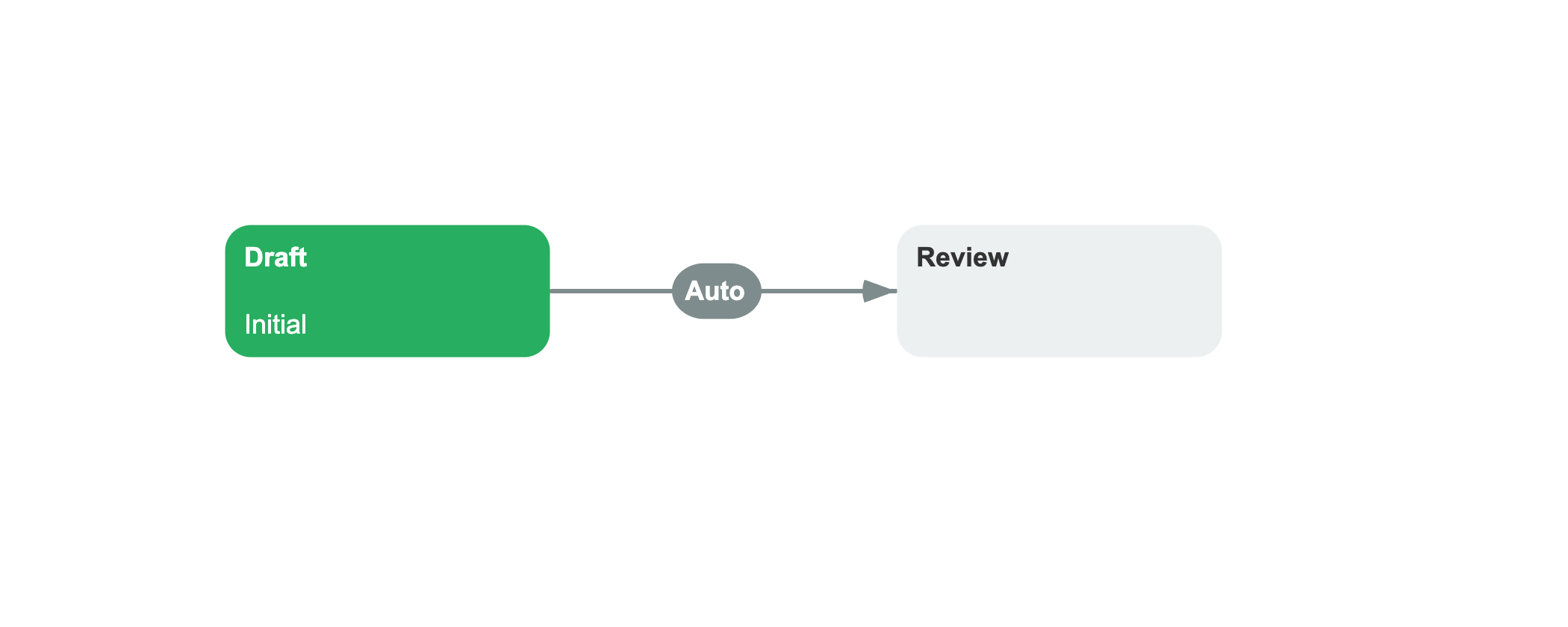
<Process Name="DocumentReview"> <Activities> <Activity Name="Draft" IsInitial="true"> <Designer X="100" Y="200"/> </Activity> <Activity Name="Review"> <Designer X="400" Y="200"/> </Activity> </Activities> <Transitions> <Transition Name="Draft_To_Review" From="Draft" To="Review" Classifier="NotSpecified"> <Triggers> <Trigger Type="Auto"/> </Triggers> <Conditions> <Condition Type="Always"/> </Conditions> <Designer/> </Transition> </Transitions></Process>The trigger is defined as a nested <Triggers> element, not as an attribute on the transition. In the example above, the trigger type is Auto, which means the transition fires automatically when the process instance arrives at the source activity Draft, without any command call.
Conditions are defined as a nested <Conditions> element. Each condition can be of type Always (always passes), Action (a named C# method), Expression, or Otherwise (a fallback). Without at least one condition, the transition never fires. Even an auto-triggered transition needs a condition to pass.
Accessing transitions from code
You can inspect transitions programmatically from the scheme definition. A ProcessInstance holds a reference to its scheme through ProcessScheme, which provides methods to find specific transitions:
var scheme = processInstance.ProcessScheme;// Find a transition by namevar approveTransition = scheme.FindTransition("ApproveReview");// Find all transitions between two activitiesvar transitions = scheme.FindTransitions( fromActivity, toActivity);// Get all transitions that leave the current activityvar outgoing = scheme.GetPossibleTransitionsForActivity( currentActivity);Each method returns a TransitionDefinition object or a list of them, which you can then inspect for properties like trigger type, conditions, and restrictions.
See also
Activity
Activities serve as the source and target states of a transition.
Command
Commands are referenced by transition triggers in the scheme.
Scheme
A scheme organizes transitions and activities.
Condition
Conditions determine whether a transition can fire.
Frequently asked questions
What is a transition in Workflow Engine?
A transition connects two activities in a scheme and defines what causes a process instance to move between them. Every transition has a source activity, a target activity, and a trigger that determines when it fires.
What is the difference between Direct and NotSpecified transitions?
Direct and NotSpecified are classifier values that describe the direction of a transition, not how it fires. A Direct transition is a forward transition in the normal workflow flow. NotSpecified means no direction is assigned. How a transition fires (by command, automatically, or by timer) is determined by its Trigger property, not the classifier.
What happens if multiple transitions match the same command?
For non-fork transitions, the runtime first selects an Always transition, then evaluates action or expression conditions in scheme order and uses the first passing transition. If none passes, it uses an Otherwise transition. Fork transitions are handled separately and can create multiple subprocesses.
How do AllowConcatenationType and RestrictConcatenationType work?
For allow restrictions, And requires every allow rule to match, while Or requires any one. For restrict restrictions, And blocks an actor only when every restrict rule matches, while Or blocks an actor when any one matches. Both properties default to And.